Best Desk Accessories in South Africa: What Actually Earns Desk Space
Last checked: 2 July 2026 Price bands are indicative, not quotes. Listings change.
Quick answer
The desk accessories that earn their space for most South Africans are a monitor riser or laptop stand to bring the screen up to a sane height, a roll of velcro cable ties for the multiplug nest, and a large desk mat if the surface is scratched, cold or borrowed. Expect roughly R300 to R650 imported for all three, about double at local retail. Desk toys come last, if at all.
The picks
Desks where the screen sits below eye level, which is most desks with a monitor on them
Monitor riser or stand (bamboo, steel or board)
Every pick, compared
| # | Product type | Best for | Verdict | Score | |
|---|---|---|---|---|---|
| 01 | Monitor riser or stand (bamboo, steel or board) | Desks where the screen sits below eye level, which is most desks with a monitor on them | Godsend | 8.9 | Details |
| 02 | Large desk mat (PU leather or cloth, 80x40cm class) | Scratched, cold or borrowed desk surfaces, and anyone whose mouse pad is an island | Solid buy | 7.9 | Details |
| 03 | Laptop stand (fixed or adjustable) | Laptop-first desks, which in South Africa means most desks | Godsend | 8.5 | Details |
| 04 | Velcro cable ties and adhesive clips (starter pair) | Every desk with a multiplug, which is every desk in South Africa | Godsend | 8.4 | Details |
| 05 | Desk drawer organiser trays (modular) | Anyone whose desk drawer is a museum of loose pens, dead batteries and old SIM cards | Solid buy | 7.2 | Details |
| 06 | Headphone hook or stand (hook, stand or combo caddy) | Anyone whose headset lives on the keyboard, the monitor corner or the floor | Solid buy | 7.5 | Details |
| 07 | Desk toys, kinetic ornaments and RGB desk decor | Gifting, mostly. As a productivity purchase, read on | Gimmick | 6.0 | Details |
Why each one made the list
The South African desk is usually a compromise: a corner of a rented bedroom, a res-room plank with one drawer, or the end of the dining table that turned into an office and never turned back. Hybrid work made the setup permanent; the furniture never got the memo. Accessories are how a borrowed surface becomes a workable desk without spending new-desk money.
Best overall
Monitor riser or stand (bamboo, steel or board)
Best for: Desks where the screen sits below eye level, which is most desks with a monitor on them
A godsend at hardware-store money. Ten centimetres of lift changes how the whole day sits, and the humble board version does the same job as the designer one.
Why it is useful
Monitors ship with their stands set low, so most screens end up a hand-width below eye level and the head follows. A riser lifts the whole monitor toward eye height and creates a storage slot underneath, which on a small desk is real estate: the keyboard slides in at close of business and the surface comes back.
Small problem solved
The subtle all-day look-down at a screen that sits too low, plus the loose clutter that a riser slot quietly swallows.
Check before buying
- Width and depth against your monitor base, with margin to spare
- Stated load rating; a 27 inch monitor plus speakers adds up
- Height between 8 and 12 centimetres suits most setups; adjustable-leg versions cover the rest
- Material honesty: bamboo and steel stay flat, thin chipboard sags over years
- Non-slip feet so it does not skate on a melamine desktop
Skip it if
- Your monitor already has a height-adjustable stand; raise that and spend the money on velcro instead
- You work on a laptop only; a laptop stand does this job better
Worth it for
- Cheap, simple and effectively permanent
- Storage slot underneath doubles as a keyboard garage
- Also lifts a TV or console in a res room
- No installation beyond putting it down
Not worth it for
- Fixed height on most models
- No tilt or swivel; it is not a monitor arm
- Cheap board versions bow under heavy monitors over time
SA note On a res desk the slot under the riser becomes the filing system: keyboard at night, textbooks by day. Steel versions also survive the annual res-move better than chipboard ones.
monitor stand riserbamboo monitor riser Links may earn Godsend a commission. Availability and prices change; check the live listing.
Biggest look upgrade
Large desk mat (PU leather or cloth, 80x40cm class)
Best for: Scratched, cold or borrowed desk surfaces, and anyone whose mouse pad is an island
Misses godsend by a whisker, because it changes how the desk feels rather than what it does. As the cheapest way to make a tired surface look deliberate, it is the most defensible cosmetic buy on this page.
Why it is useful
One mat defines the working zone: keyboard, mouse and forearms live on a consistent, slightly padded surface instead of cold melamine or scratched varnish. PU versions wipe clean; cloth versions behave like one giant mouse pad. It also hides a decade of previous owners on a second-hand or furnished-rental desk.
Small problem solved
Ugly or damaged desk surfaces, a mouse pad the size of a coaster, and the cold-desk winter forearm problem.
Check before buying
- Actual dimensions against your desk; overhang looks worse than bare wood
- Stitched or heat-sealed edges; raw-cut PU curls at the corners first
- Thickness of 2 millimetres or more, otherwise the padding is theoretical
- Cloth versions should be machine washable or they slowly grey out
Skip it if
- The desk is already buried; a mat under clutter is expensive archaeology
- You like the bare wood, in which case buy nothing, that is allowed
Worth it for
- Cheapest whole-desk visual upgrade there is
- Protects a furnished-rental desk from cup rings and pen scratches
- Warmer under the forearms than melamine in a Highveld winter
- Mouse tracks consistently across the whole surface
Not worth it for
- Organises nothing and holds nothing
- Cheap PU peels at the corners within a year or two
- Light cloth colours stain on the first coffee
SA note Winter is the honest sales pitch: from June to August an unheated home office gets cold enough that bare melamine under the wrists is a genuine typing deterrent. A mat is not heating, but it stops the desk actively stealing warmth.
desk mat largedesk pad PU leather 80x40 Links may earn Godsend a commission. Availability and prices change; check the live listing.
For laptop-first desks
Laptop stand (fixed or adjustable)
Best for: Laptop-first desks, which in South Africa means most desks
A godsend covered properly in its own guide. The short version: raising the screen is the single best thing you can do at a laptop desk, and a basic aluminium stand does it for R150-odd.
Why it is useful
A laptop screen sits 20 to 25 centimetres below where a monitor would put it, so a flat desk guarantees a day of looking down. A stand closes some or all of that gap: fixed aluminium versions are the sturdy default, adjustable Z-style stands reach true eye height. Our dedicated laptop stands guide ranks six types in detail.
Small problem solved
The all-day downward hunch that a flat laptop forces on every user, at every desk, in every chair.
Check before buying
- Fixed or adjustable: fixed is sturdier per rand, adjustable reaches eye height
- Load and size rating against your actual machine, not the render
- Rubber contact points so the stand grips both desk and laptop
Skip it if
- You will not use an external keyboard; a raised laptop keyboard is not typable for real work
- Your screen is already an eye-height monitor and the laptop lives closed; a vertical holder serves you better
Worth it for
- The biggest posture-per-rand purchase on this page
- Metal stands shed laptop heat better than a flat desk
- Fixed versions have no moving parts and nothing to sag
Not worth it for
- Needs an external keyboard and mouse to be useful
- Thin cheap aluminium flexes; check reviews for wobble
- One more fixed object on a small desk
laptop stand aluminiumadjustable laptop stand Links may earn Godsend a commission. Availability and prices change; check the live listing.
Cheapest big win
Velcro cable ties and adhesive clips (starter pair)
Best for: Every desk with a multiplug, which is every desk in South Africa
The most godsend rands you will spend on this page. A velcro roll plus a pack of clips sorts most visible cable chaos in twenty minutes.
Why it is useful
A cut-to-length velcro roll bundles the slack on every cable; adhesive clips route the survivors along desk edges and legs. Between them, the floor stops looking like a snake pit. The bigger structural fix, an under-desk tray that carries the whole multiplug, is ranked in our cable management guide.
Small problem solved
The cable nest around the multiplug, and the charging cable that dives off the desk every time you unplug it.
Check before buying
- A roll you cut to length beats pre-cut ties
- Clip adhesive strength: stronger holds better and takes rental paint with it, so test one first
- Clip size against your actual cable thickness
Skip it if
- Your real problem is a floor-level multiplug feeding ten things; start with the under-desk tray in the cable guide instead
Worth it for
- Costs less than a takeaway coffee run
- Velcro is reusable every time the setup changes
- Zero tools, twenty minutes, visible result
Not worth it for
- Bundling is not routing; the tidy bundle still needs somewhere to live
- Cheap clip adhesive lets go in hot rooms
SA note The desks that suffered most are the ones that gained an inverter or UPS during the load-shedding years and never got re-cabled afterwards. Twenty minutes of velcro is the amnesty.
Adhesive clips can lift paint on rental walls. Test one in a hidden spot, or stick clips to furniture and skirting instead; the full warning lives in the cable management guide.
velcro cable ties rolladhesive cable clips Links may earn Godsend a commission. Availability and prices change; check the live listing.
Desk drawer organiser trays (modular)
Best for: Anyone whose desk drawer is a museum of loose pens, dead batteries and old SIM cards
Solid. Trays do for a drawer what cubes do for a suitcase: nothing dramatic, just the end of digging. They earn their keep fastest when the drawer is your only storage.
Why it is useful
Modular trays tile the drawer into compartments, one per category of small object. Stationery, cables, chargers and the odds-and-ends stratum each get a home, and the drawer opens to information instead of archaeology.
Small problem solved
Junk-drawer creep: a drawer that started as storage and became the place where small objects go to disappear.
Check before buying
- Measure the drawer interior first, especially depth; desk drawers run shallow
- Modular sets that tile beat one moulded insert that fits no drawer exactly
- Non-slip pads or connecting clips so the trays do not surf when the drawer slams
Skip it if
- Your desk has no drawers, which is true of most trestle and flat-pack desks; a desktop caddy or the headphone-stand combo below does more
Worth it for
- Cheap and effectively permanent
- Turns the drawer back into usable storage
- Trays move house better than moulded inserts
Not worth it for
- Organises only what fits in a drawer
- Cheap thin plastic cracks at the corners
- The system decays without an occasional reset
SA note Res-room desks usually offer one drawer for an entire life admin system. Trays are how that one drawer holds stationery, chargers, plasters and the spare key without becoming soup.
drawer organiser trays setdesk drawer organiser Links may earn Godsend a commission. Availability and prices change; check the live listing.
Best for headphone owners
Headphone hook or stand (hook, stand or combo caddy)
Best for: Anyone whose headset lives on the keyboard, the monitor corner or the floor
Solid. A hook costs almost nothing and ends the daily headset shuffle, and the combo caddies with a pen cup and phone slot are the sensible version of desk decor.
Why it is useful
Three forms, one job. An adhesive or clamp hook under the desk edge stores the headset invisibly; a freestanding stand displays it; combo caddies add a pen cup and a phone slot so the desk tidy is one object instead of four scattered ones.
Small problem solved
The headset that occupies prime desk space, falls off the monitor, or gets sat on in the chair.
Check before buying
- Under-desk hooks: clamp versions spare the finish; adhesive needs a clean, flat underside
- Freestanding stands need a heavy base or they tip with a cable tug
- Combo caddies: check the phone slot angle works with a case on
Skip it if
- You use earbuds; a hook for a five-gram case is decor
Worth it for
- Hooks are nearly free and invisible
- Reclaims a surprising patch of desk
- Combo versions consolidate the small-object clutter
Not worth it for
- Pure tidiness; changes nothing about how you work
- Cheap stands are top-heavy
- Adhesive hooks eventually drop the headset they were trusted with
headphone stand holderunder desk headphone hook Links may earn Godsend a commission. Availability and prices change; check the live listing.
Desk toys, kinetic ornaments and RGB desk decor
Best for: Gifting, mostly. As a productivity purchase, read on
A gimmick, called honestly. Kinetic spinners, magnetic sculptures and RGB ornaments photograph beautifully, promise focus, and then sit there collecting Highveld dust while you work around them.
Why it is useful
The honest case is small: one object you like makes a desk feel like yours, and a quiet fidget item gives restless hands something to do on long calls. That is the entire, real benefit.
Small problem solved
Very little you could name. The listings sell calm and focus; what arrives is a paperweight with moving parts and, in the RGB versions, another cable.
Check before buying
- If you must: pick something silent, because clicky toys broadcast on calls
- One object, not a collection; the second one is clutter
- Skip anything USB-powered; it adds a cable to a page that exists to remove them
Skip it if
- You are buying it to fix focus or procrastination; it will not
- Your desk is small; on a res desk every ornament costs working space
Worth it for
- Decent gift for the colleague who has everything
- One personal object is legitimate desk morale
- Cheap enough that the lesson is affordable
Not worth it for
- The focus claims are marketing
- Dust magnet with crevices
- RGB versions are powered, which also puts them outside what we rank
- Novelty half-life measured in weeks
desk toy fidgetkinetic desk ornament Links may earn Godsend a commission. Availability and prices change; check the live listing.
Buying guide
Fix the screen first, then the cables, then the drawer
Desk accessories have a correct order and it is not the order the shopping feed suggests. Screen height comes first because it is the thing you feel every hour: a riser or stand moves the display toward eye level and the rest of your posture follows the screen. On a laptop that also means an external keyboard and mouse, which is the hidden second purchase.
Cables come second. They are cosmetic right up until you need to unplug one specific thing in a hurry, and a R40 velcro roll removes most of the visual noise. Surface and drawer organisation come last, once the structural stuff works.
Small desks: go vertical and go under
A res-room or bedroom-corner desk cannot afford flat accessories. The wins come from the third dimension: a riser creates a storage slot under the monitor, an under-desk hook stores the headset below the surface, and drawer trays make one drawer do the work of three.
The discipline is subtractive too. On a 100 centimetre desk, every ornament is rent-paying floor space. If an object neither lifts, holds nor routes something, it is a tenant that does not pay.
Renting: organise without spending your deposit
Adhesive is the cheapest mounting method and the only one that can bill you later. Strong foam tape on rental paint is a coin flip: sometimes it peels off clean, sometimes it takes a palm-sized patch of PVA with it. Test one clip somewhere hidden for a week before committing a wall.
The rental-safe hierarchy: freestanding first, clamp-on second, velcro third, adhesive on furniture fourth, adhesive on paint last and reluctantly. Nothing in this guide needs a drill, which is deliberate.
Temu, Takealot or the stationery aisle
The same factories feed most of this category, so the choice is mostly about time and returns. Temu runs cheapest with 8 to 14 business days of patience; Takealot costs more but lands next-day in the metros and has a returns desk that answers; hardware and stationery shops sell velcro and trays same-day for hurry-up jobs.
Buy load-bearing items, stands and risers especially, where returns are easy or reviews are recent. A wobbly riser under a monitor is not a bargain at any price.
Frequently asked questions
What desk accessories are actually worth buying?
A screen riser of some kind comes first: monitor riser or laptop stand, depending on your hardware. A velcro cable tie roll is the second purchase, and a large desk mat the third if the surface is scratched or cold. Together they run roughly R300 to R650 imported. Everything else on this page is situational; those three are close to universal.
What should I buy first for a work-from-home desk?
Whatever moves the screen toward eye height, because that is the change you feel every working hour. On a laptop that means a stand plus an external keyboard and mouse; with a monitor it means a riser. Cable management comes second: it looks cosmetic until the day you need to unplug one specific thing in a hurry.
Are Temu desk accessories any good?
For passive items, mostly yes: risers, mats, trays and hooks come out of the same factories that feed local retail. Check recent reviews for wobble, flex and adhesive complaints, which is where cheap versions cut corners. Delivery runs 8 to 14 business days standard, so order before the need is urgent, or pay Takealot prices for next-day in the metros.
How do I organise a small student desk?
Go vertical and go under. A monitor riser with a storage slot doubles the useful surface, an under-desk hook stores the headset out of sight, and drawer trays make the single res drawer carry more. Skip ornaments entirely: on a desk the width of a door, every decorative object costs working space you do not have.
Do desk toys actually help with focus?
Treat the focus promises as marketing. A quiet fidget object can be pleasant to hold on long calls, and one personal ornament makes a desk feel less institutional, but nothing about a magnetic sculpture changes how much work gets done. Buy one as decoration and enjoy it as decoration; buy it as a productivity tool and you own a paperweight.
Is a desk mat worth it or just decoration?
Somewhere between the two, honestly. A mat organises nothing, but it covers a scratched surface, protects against cup rings, gives the mouse consistent tracking and is warmer under the forearms than bare melamine in winter. As the cheapest visual upgrade a desk can get, it earns its place; buy it after the riser and the velcro, not instead of them.
Related rankings
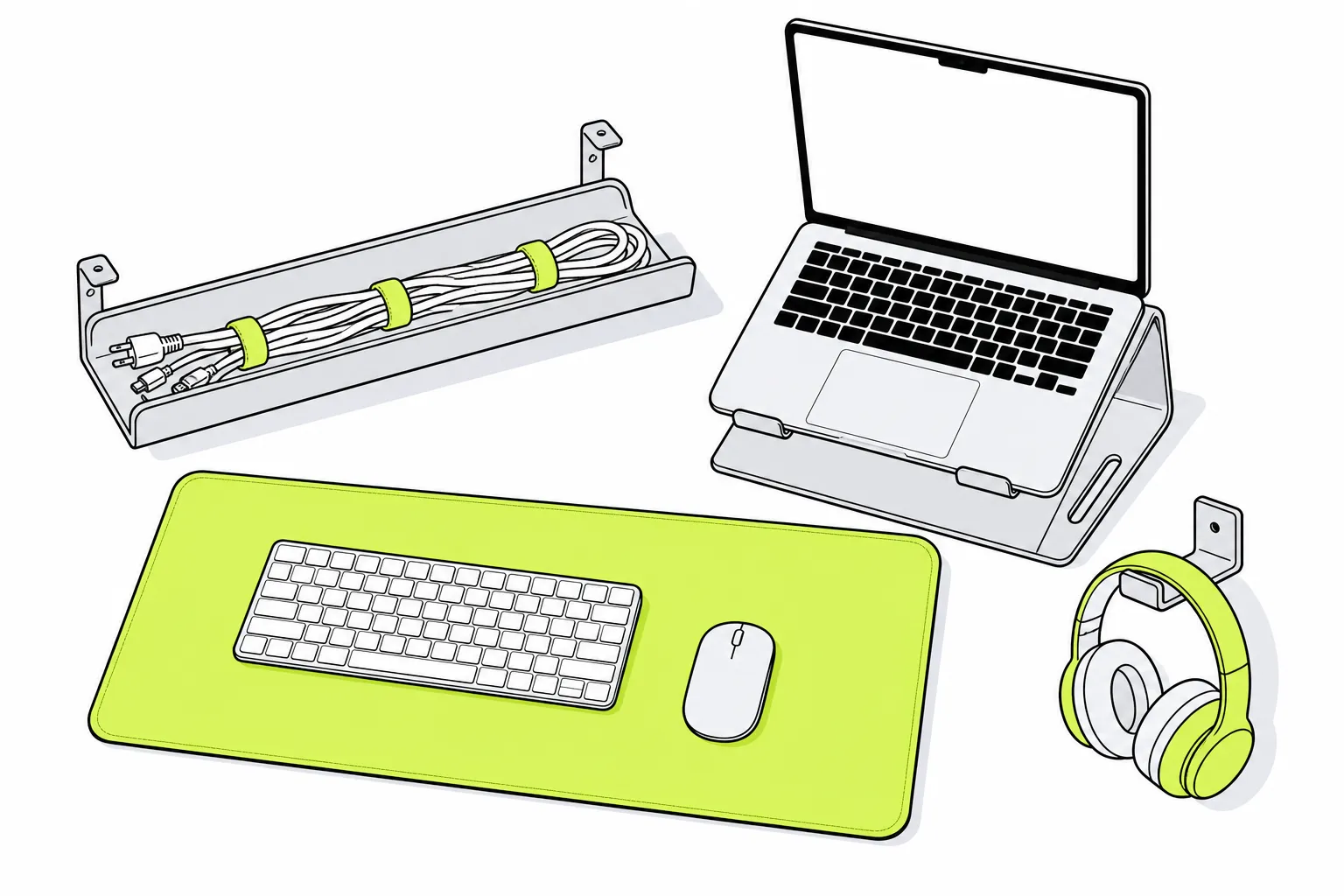 Desk
Desk Best Cable Management Products in South Africa
Under-desk trays, velcro ties, adhesive clips and cable boxes ranked for South African desks, with fire-safety honesty for multiplugs and UPS setups.
Read the ranking Desk Best Laptop Stands in South Africa
Fixed aluminium stands, adjustable risers, foldable travel stands and vertical holders ranked for South African desks, with honest verdicts and price bands.
Read the ranking Home
Home Best Drawer Dividers in South Africa
Adjustable dividers, cutlery trays, modular bins and honeycomb organisers ranked for South African homes and rentals, with honest verdicts and price bands.
Read the ranking Decor
Decor Best LED Room Lights in South Africa
USB LED strips, sunset lamps, galaxy projectors and puck lights ranked for South African res rooms and rentals, with adhesive warnings and honest gimmick calls.
Read the ranking